Introducing Superthread Forms: Structured Intake, Without the Spreadsheet Shuffle
Superthread Forms turn bug reports, access requests, design briefs, IT tickets, and other intake workflows into trackable cards on your boards.
Requests should arrive ready for action
Most teams have at least one workflow that starts outside the project board. Someone needs access to a tool. A customer reports a bug. Marketing needs a landing page. Sales asks for an integration. The work is real, but the first step is often a messy combination of Slack messages, screenshots, DMs, and half-filled spreadsheets.
Forms in Superthread are designed for that intake moment. They let you collect consistent information from the people making requests, then turn each submission into a card on the board where the work will actually happen.
Build the form around the workflow
Each form belongs to a workspace and routes submissions to a destination board. You can give the form a name, icon, description, folder, and portal visibility, then build the fields you need for that request type.
Forms support short text, long text, numbers, dates, dropdowns, attachments, checkboxes, email fields, phone fields, links, card property fields, and info blocks. Text fields can include placeholders. Fields can be required. Dropdowns can be single-select or multi-select.
The important part is that the form can set real card properties too. A form can map answers directly to priority, assignees, due date, and tags, so the card arrives with useful structure instead of becoming another thing someone has to triage by hand.
Ask only what matters
Good intake is not about asking every possible question. It is about asking the right question at the right time.
Conditional fields let you show follow-up questions only when they are relevant. You can base conditions on dropdowns, checkboxes, numbers, dates, and priority. Conditions support all or any matching logic, plus comparisons like equals, does not equal, contains, number comparisons, and date comparisons.
When a conditional field is hidden, its value is cleared and left out of the submission. That keeps cards clean and keeps submitters from wrestling with questions that do not apply to them.
Share forms with the right audience
Some forms are for the team. Others need to be available to people outside the workspace.
Every form can be shared with a public link. You can turn the link on, copy it, and regenerate it later if it was shared too widely. Anyone with the active link can open and submit the form.
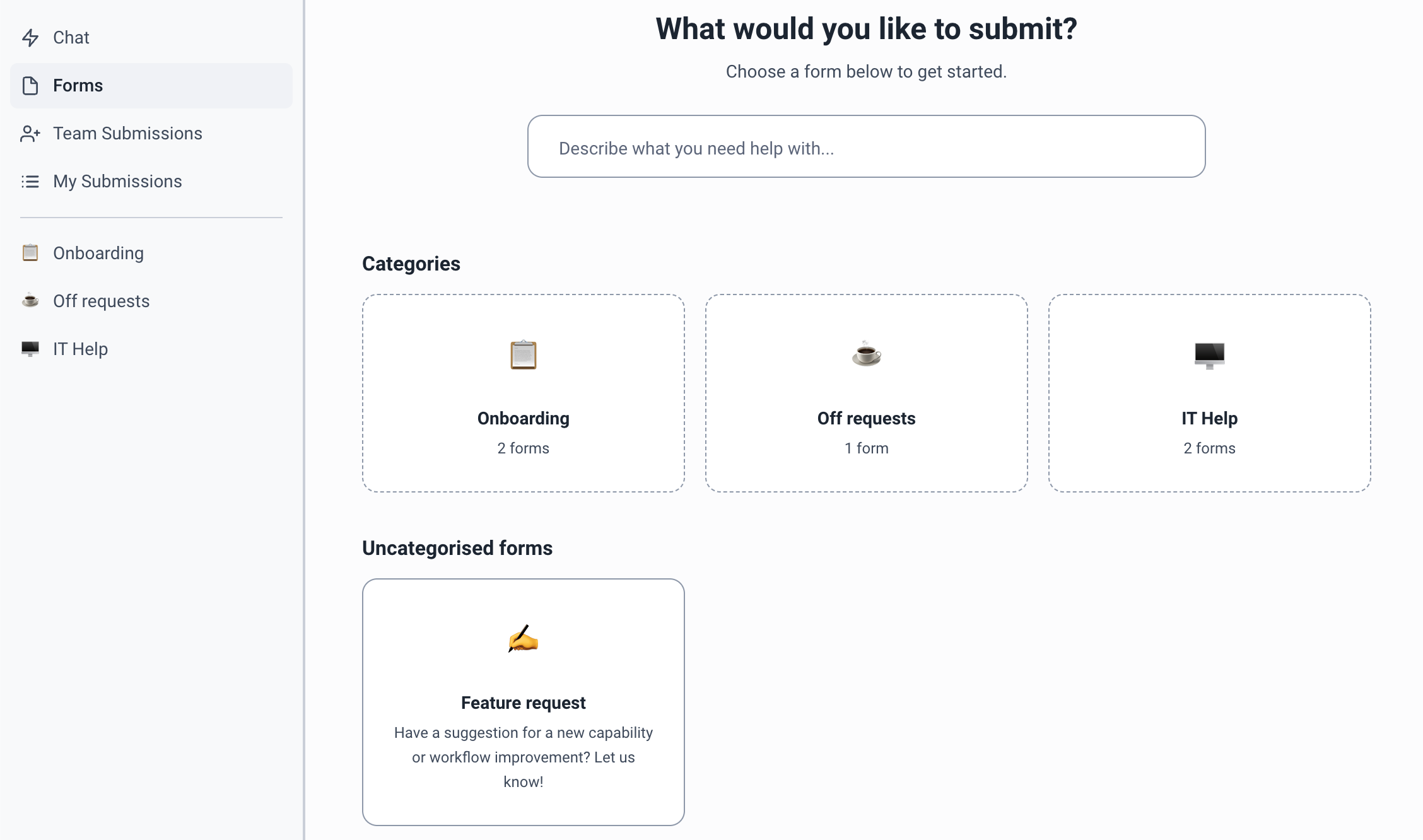
For signed-in users, the forms portal gives people a central place to find portal-visible forms and folders. It also includes AI-assisted chat, so someone can describe what they need and Superthread can help choose or fill the right form using AI credits.
Track the request after submission
Submitting a form creates a card on the destination board. The card includes submitted values, attachments, and any mapped card properties.
The portal also gives submitters and participants a way to follow the request after it leaves the form. They can search and filter submissions by text, status, request type, team submissions, or submissions shared with them.
Opening a submission shows the card status, submitted date, form name, due date, priority, assignees, participants, content, attachments, and conversation. Submitters and participants can comment, add attachments, and react in the conversation, so updates stay attached to the work instead of scattering across other tools.
Keep forms organized as the team grows
Forms are managed at the workspace level. You can create folders with names and icons, drag folders into a custom order, move forms within or between folders, leave forms uncategorized, and rename or delete folders without deleting the forms inside them.
People with permission to manage forms can create, edit, duplicate, delete, reorder, publish, unpublish, and regenerate form links. Guests cannot manage workspace forms, while public form links remain accessible to anyone with the active URL.
A cleaner front door for work
Forms are not a separate database or another queue to maintain. They are a front door for Superthread boards.
The request starts with structured input, becomes a card, carries the right properties, and stays visible to the people who need to follow it. That is the whole point: less chasing, less retyping, and fewer requests disappearing between tools.