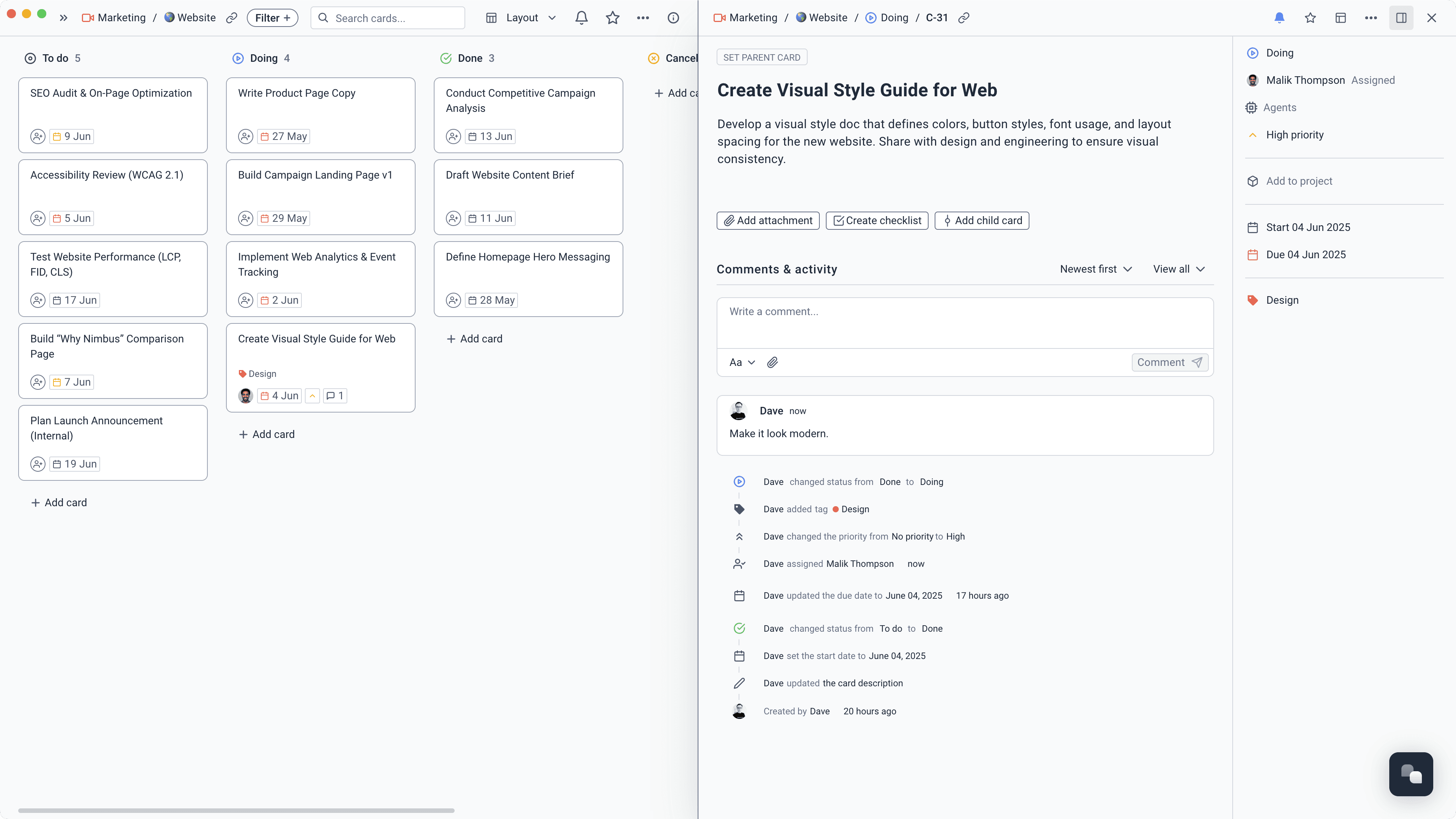
See every job that is in flight
Run client projects, recurring operations, and everyday tasks on boards, lists, calendars, and timelines. Everyone can see what is due without another status meeting.
Learn more about See every job that is in flight
Client projects, company docs, requests, meetings, and routine follow-up stay in one place. Your team spends less time updating systems and more time doing the work.
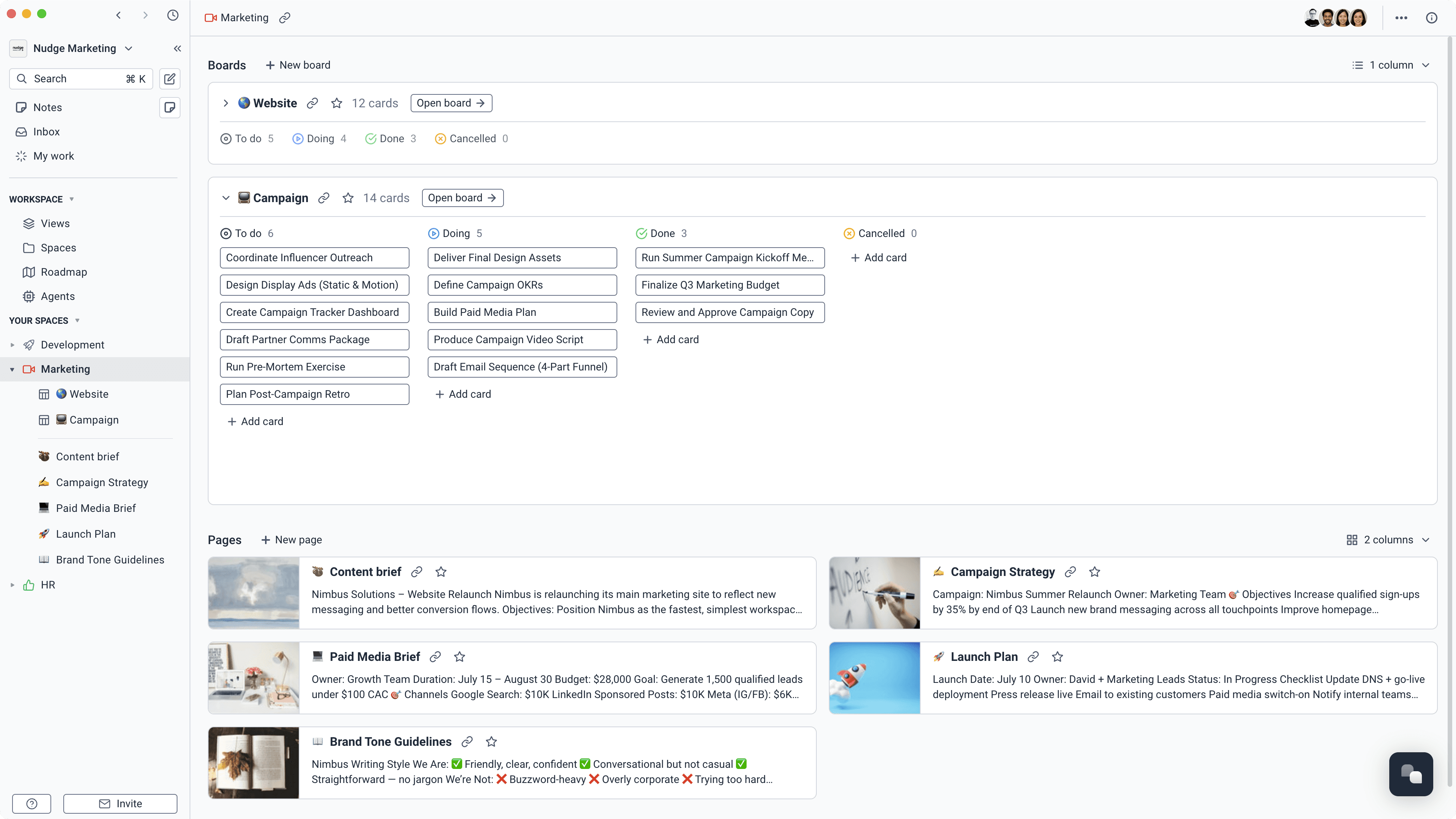
Keep the work and the knowledge behind it together. AI can find the answer, prepare the update, or take care of a repeated task without another handoff.
Projects, tasks, owners, dates, and priorities.
Docs, decisions, meeting notes, and company knowledge.
Forms, requests, comments, and customer collaboration.
Agents that find answers and take care of recurring tasks.
Start at $3 per user a month and choose the price that feels fair. Projects, docs, forms, time tracking, and AI agents are included, so getting organised does not create another expensive stack.
Starts at
$3 per user / month
No long commitment. You decide what is fair.
See pricing and what is includedPlan client work, answer team questions, capture requests, and keep follow-up from slipping.
Run client projects, recurring operations, and everyday tasks on boards, lists, calendars, and timelines. Everyone can see what is due without another status meeting.
Learn more about See every job that is in flight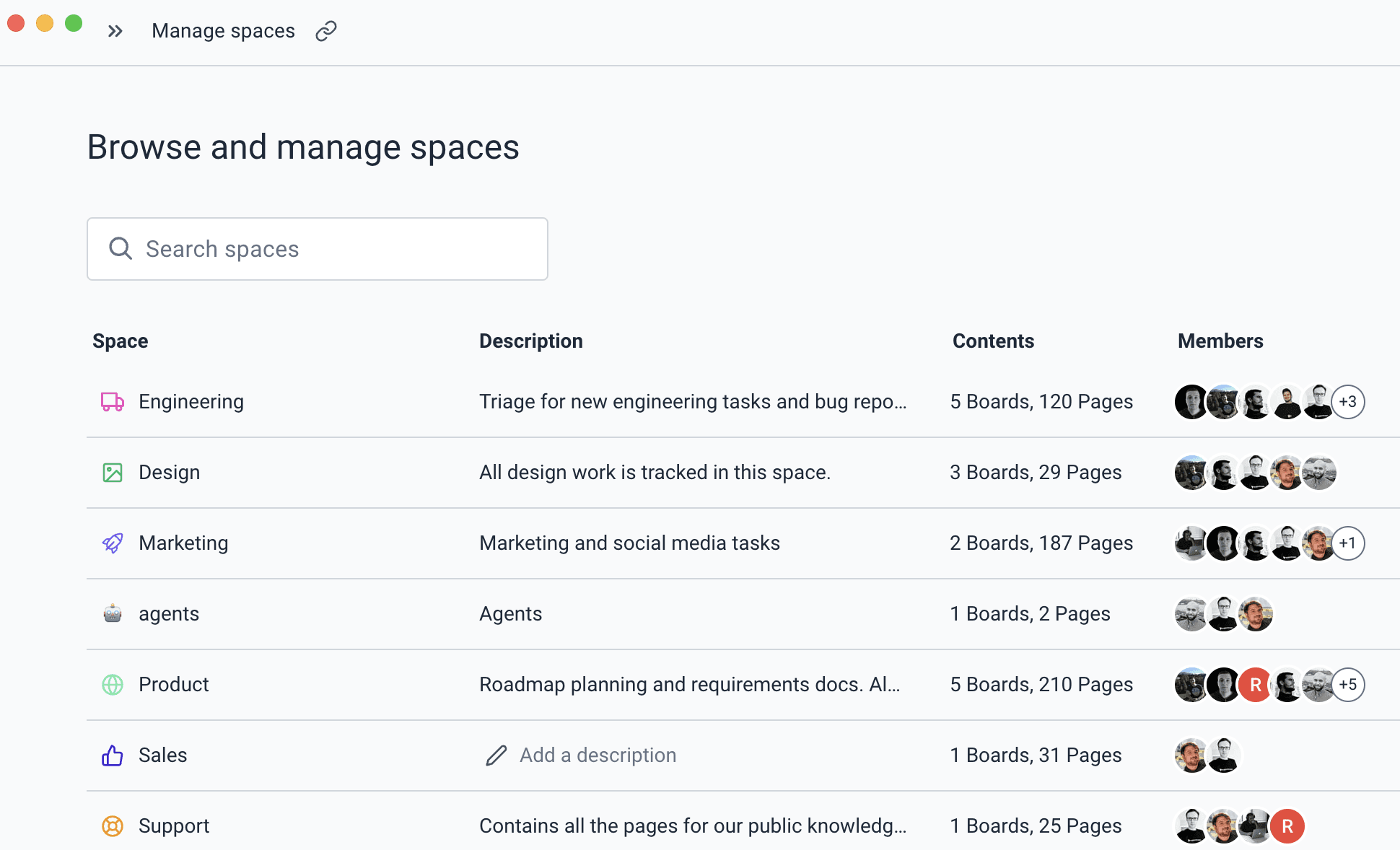
Write playbooks, proposals, decisions, and company knowledge in collaborative pages. Link them to the relevant work instead of burying them in another folder.
Learn more about Stop asking where that document livesCollect customer questions, internal requests, creative briefs, or new ideas through forms. Each submission lands on the right board with the details needed to act.
Learn more about Give every request somewhere to goCapture the conversation, keep the transcript, and turn decisions into notes and assigned tasks while the context is still fresh.
Learn more about Finish the meeting with clear ownersTrack time on the task, separate billable from internal work, and report by project or person without asking the team to rebuild their week from memory.
Learn more about Record the hours while they are fresh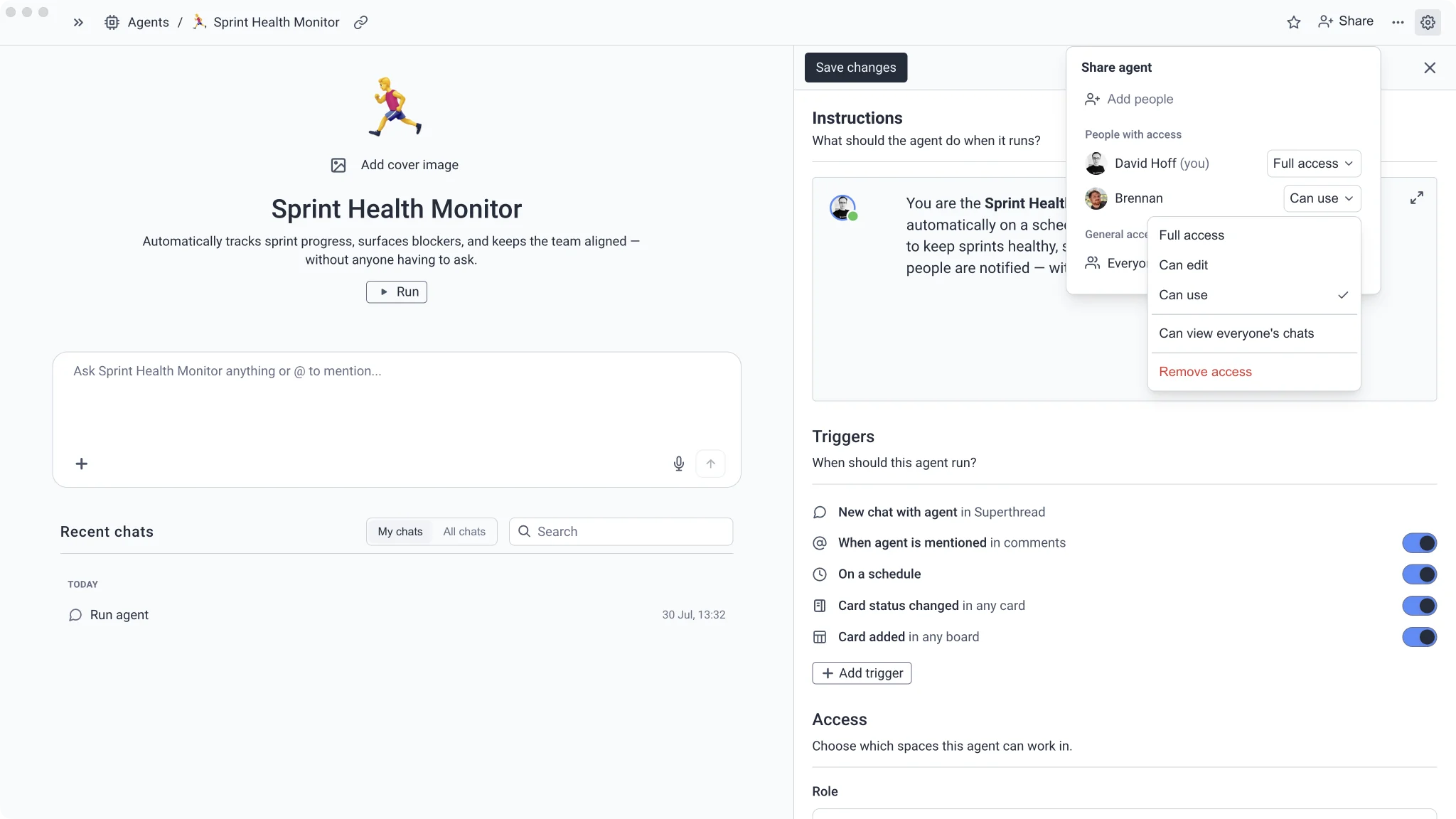
Create agents that answer questions from company docs, check projects, prepare weekly updates, and follow up on overdue work.
Learn more about Hand over the admin that repeatsAsk an agent to check overdue work, answer from company docs, or prepare Monday's update. Choose what it can see and when it should run.
Find missing details, unclear ownership, and requests waiting too long for a response.
“Check open requests for missing information, no owner, or no recent update. Add the next follow-up task and leave a concise note on each request.”
Time saved2–3 hours/week
Show active jobs, overdue work, recent decisions, and what needs attention next.
“Prepare Monday's team update from active projects, overdue tasks, recent decisions, and meeting notes. Put the items needing a decision first.”
Time saved1–2 hours/week
Find the relevant process or decision without interrupting the person who usually knows.
“Answer this question using only the company pages, projects, and meeting notes you can access. Link the sources you used.”
Time saved1–2 hours/week
Create the first tasks, owners, and dates from a complete customer or internal request.
“Turn this approved request into a short delivery plan with milestones, tasks, owners, and dates. Link every task back to the original request.”
Time saved1–2 hours/week
Create a plain review of completed work, unfinished commitments, and recurring problems.
“Prepare a month-end review from completed projects, open commitments, request trends, and meeting decisions. Keep it factual and link the source work.”
Time saved30–60 minutes/week
Founders, operations, and client teams can work differently without losing the shared picture.
See which client jobs are moving, what is stuck, and where the team needs a decision without chasing updates.
Keep requests, promises, meetings, and delivery in one place so customers get faster, clearer answers.
Turn repeatable processes into visible workflows and automate the routine checks around them.
Find the plan, the answer, and the next task without learning a different system for each kind of work.